








FAQ
The central vacuum cleaner does not stop – what could be wrong?
If the central vacuum cleaner starts by itself and does not stop, the most common cause is a fault in the low-voltage control system. Start by disconnecting the low-voltage cable at the back of the unit. If the unit stops, there is likely a short circuit in one of the wall inlets or in the low-voltage wiring. If the unit does not stop when the low-voltage cable is disconnected, the issue may be related to the quick connector on the unit or the control board inside the vacuum cleaner. This troubleshooting applies only to CV and older models. CVR models require different diagnostic procedures.
The SP30 control panel is flashing red and has no control – what does it mean?
When the SP30 control panel flashes red and does not allow control, it means that the fire thermostat in the unit has been triggered. For safety reasons, control via the panel is disabled when this occurs. To resolve the issue, the fire thermostat must be reset inside the unit. It is also important to check the airflow, as insufficient air circulation is a common reason for the fire thermostat being activated. Check whether the filters are clogged and replace them if necessary, and make sure that the outdoor air intake grille is not blocked by leaves, snow or debris. If you are unable to resolve the issue yourself, we recommend contacting the service company that installed the system or the retailer where the product was purchased.
Do I need to install a separate humidity sensor in the bathroom?
In most cases, it is not necessary to install a separate humidity sensor in the bathroom. The latest generation of Flexit ventilation units has a built-in humidity sensor that is activated via the Flexit GO app. This function detects relative changes in humidity and automatically increases the extract airflow within a few seconds. This ensures effective moisture removal without the need for a separate room-mounted humidity sensor. Flexit does, however, offer humidity sensors for room installation if required in special solutions.
Does Flexit provide service for ventilation systems?
No, Flexit does not perform service directly. We recommend that you contact a local service company or an authorised distributor who can carry out service and maintenance on your ventilation system.
The filter change indicator is flashing on the control panel – what does it mean?
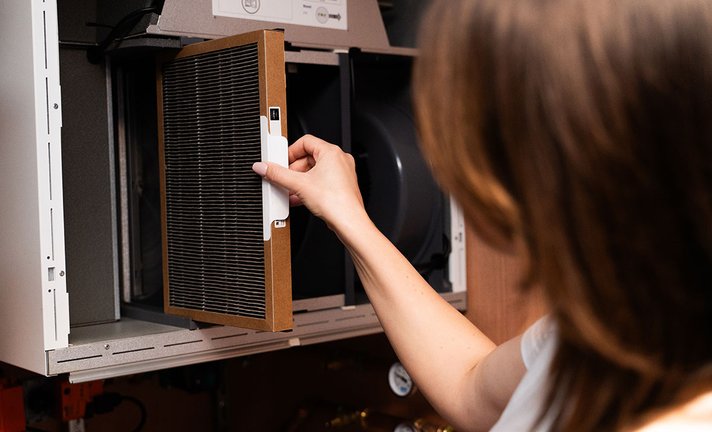
When the filter change indicator is flashing, it means the filter needs to be checked or that a filter replacement has been carried out and the alarm must be reset. After replacing the filter, the alarm must be reset via the control panel. The procedure depends on which panel you are using. For CI50, see the user manual on page 30, section 4.4. For CI60, the reset procedure is described on page 11, section 7.7 of the user manual. For CI70, refer to page 19 in the user manual. If you are using NordicPanel, press the alarm symbol and confirm by pressing the blue check mark. Once the filter has been replaced and the alarm reset, the indicator will stop flashing. More information about filters and filter subscriptions is available on Flexit’s website.
The fan does not start at high humidity – what could be the cause?
If a humidity-controlled fan does not start as expected, it may be because humid air is not reaching the humidity sensor. A common cause is cold downdraught in the duct, where cold outdoor air pushes the humid indoor air away from the sensor, preventing it from detecting sufficient humidity. This can be resolved by installing a backdraft damper in the duct to prevent cold air ingress. Alternatively, a louvre vent on the exterior wall can help reduce draught. Both measures allow humid air to remain in the duct long enough for the fan to activate. If you are an end user and are unable to resolve the issue yourself, we recommend contacting the service company that installed the system or the retailer where the product was purchased.
We have moved and want to transfer the subscription to the new owner – how do we do it?
To transfer the subscription to a new owner, the existing subscription must first be cancelled. Log in to My Page and end your current subscription. The new owner can then register on My Page and create a new subscription using their own details. Alternatively, you can contact customer service by email at kundeservice@flexit.no, and we will assist you with the transfer.